

Identifying "who needs to learn what" used to be an annual, manual headache involving endless spreadsheets and subjective interviews. In a fast-moving business environment, this approach is often outdated before the data is even processed.
A modern training needs analysis tool transforms this from a one-off event into a continuous feedback loop. While managing a team, a systematic training needs analysis (TNA) ensures that your budget goes toward fixing actual performance gaps rather than "nice-to-have" content.
What is a Training Needs Analysis?
A training needs analysis is the process of identifying the gap between the current skills of your workforce and the skills required to meet organizational goals. It is the diagnostic phase of any successful L&D strategy.
Where TNA applies:
Performance: Bridging the gap between current output and business targets (e.g., helping sales reps handle objections better).
Compliance & Safety: Ensuring every employee meets legal or ISO standards to minimize risk.
Growth & Succession: Preparing high-potential employees for future roles through learning needs analysis.
Top-down vs. Bottom-up TNA
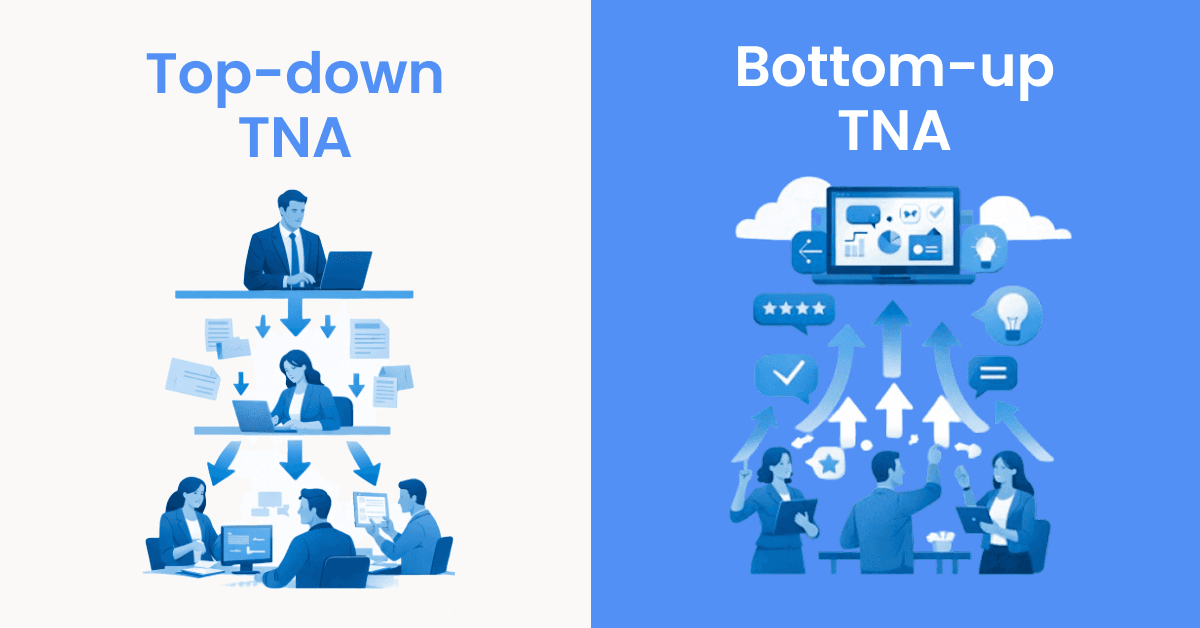
Traditionally, TNAs were top-down: leadership decided what the company needed, and HR pushed it down. While this aligns with high-level strategy, it often misses the day-to-day friction points employees face.
A bottom-up approach leverages a training needs analysis tool to gather data directly from the field. It asks: “What is stopping you from completing your tasks today?”
Top-down: Good for large-scale digital transformations or new compliance rollouts.
Bottom-up: Essential for agile teams, revenue operations, and technical roles where skills evolve monthly.
Why spreadsheets might not be the best idea
Many HR managers start with a skills matrix in Excel. It works for 10 people; it breaks at 50.
Bottom-up analysis is impossible to manage manually. Training needs analysis software allows you to aggregate thousands of individual "micro-gaps" into a clear, actionable training roadmap.
The moment you finish the file, it’s obsolete. You can’t see immediate skill decays or new training needs as they arise. You have to manually move data from the spreadsheet to your LMS.
Using a platform like Deelan allows you to centralize your training gap analysis. It turns "static data" into "active insights," showing you exactly where the risk lies across your entire organization in real-time.
The modern training needs analysis process (step-by-step template)
Follow these five steps to move from a vague "need for training" to a data-backed L&D strategy.
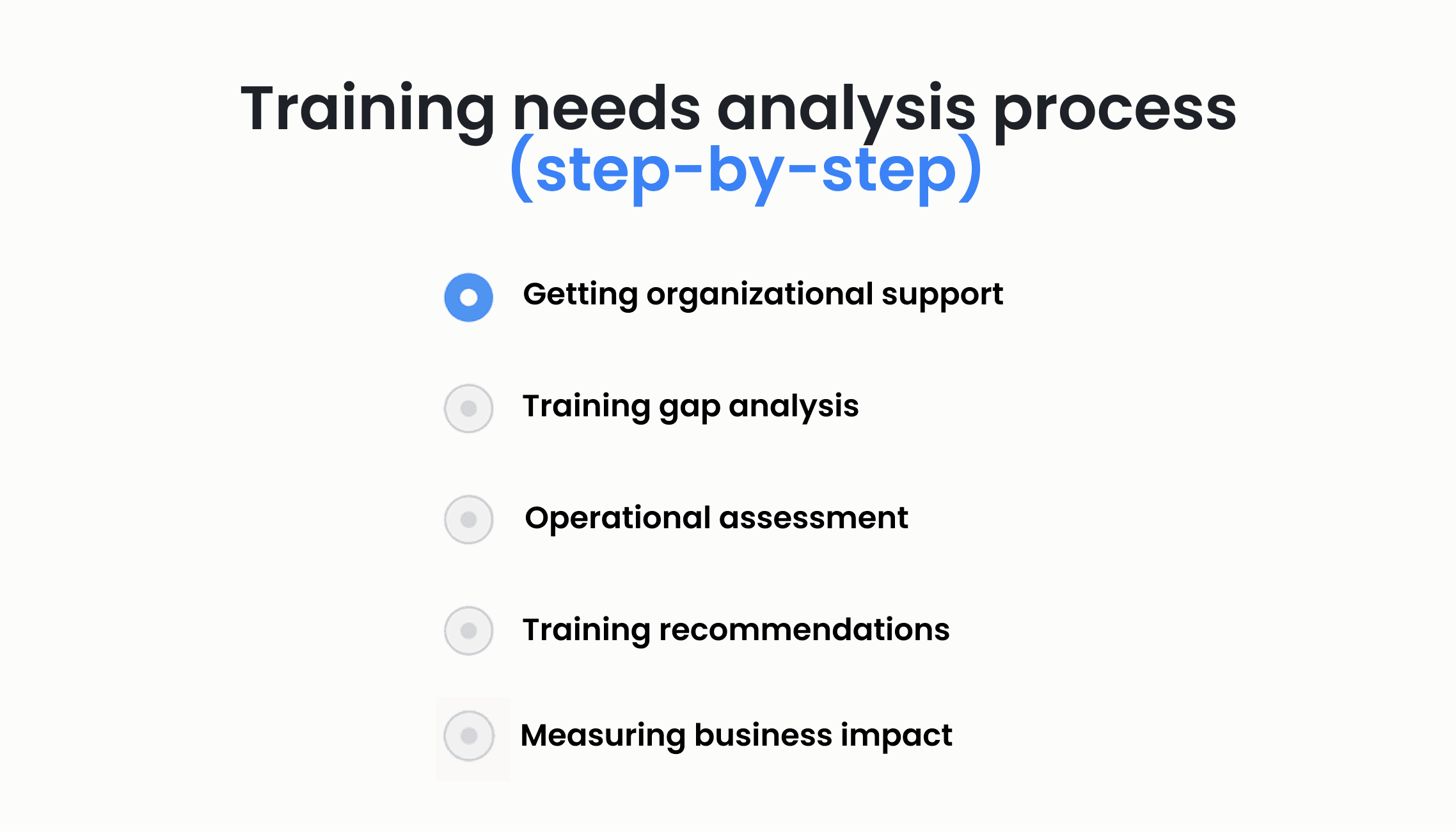
1) Getting organizational support
Before diving into data, align with stakeholders. Use specific training metrics to show how TNA impacts the bottom line. Define the "Business Need" - is it reducing churn, improving safety, or increasing sales velocity?
2) Training gap analysis
This is the core of the process. Instead of asking people what they think they need, use the Assessment function in Deelan.
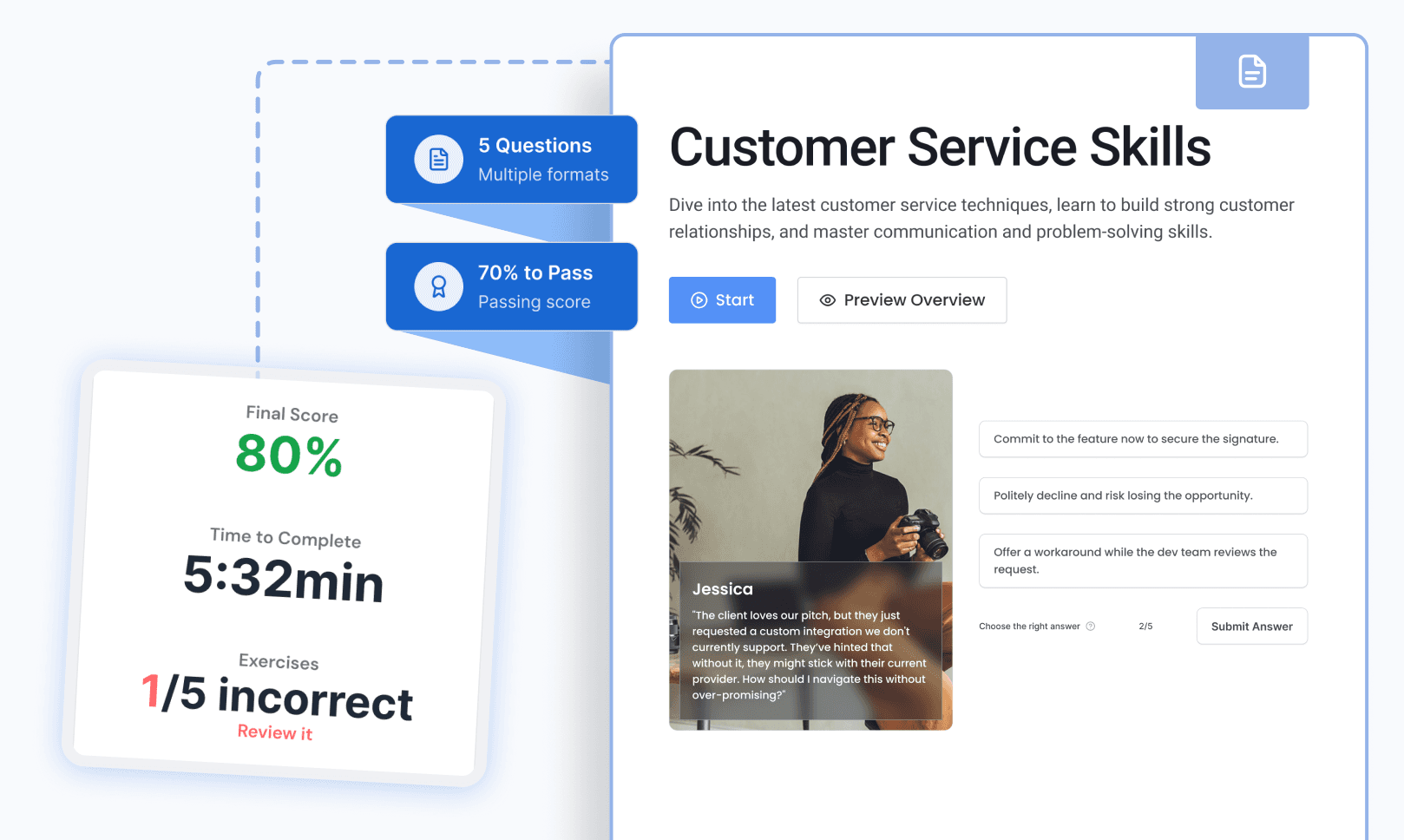
Automated Quizzes: Test existing knowledge of product features or compliance protocols.
Skills Assessment: Compare self-evaluations against manager evaluations to find blind spots.
3) Operational assessment
Analyze the environment where work happens. If a team is failing a task, is it a "skill gap" or a "process gap"? A training needs analysis tool helps you identify if employees have the knowledge but lack the tools or time to execute.
4) Training recommendations
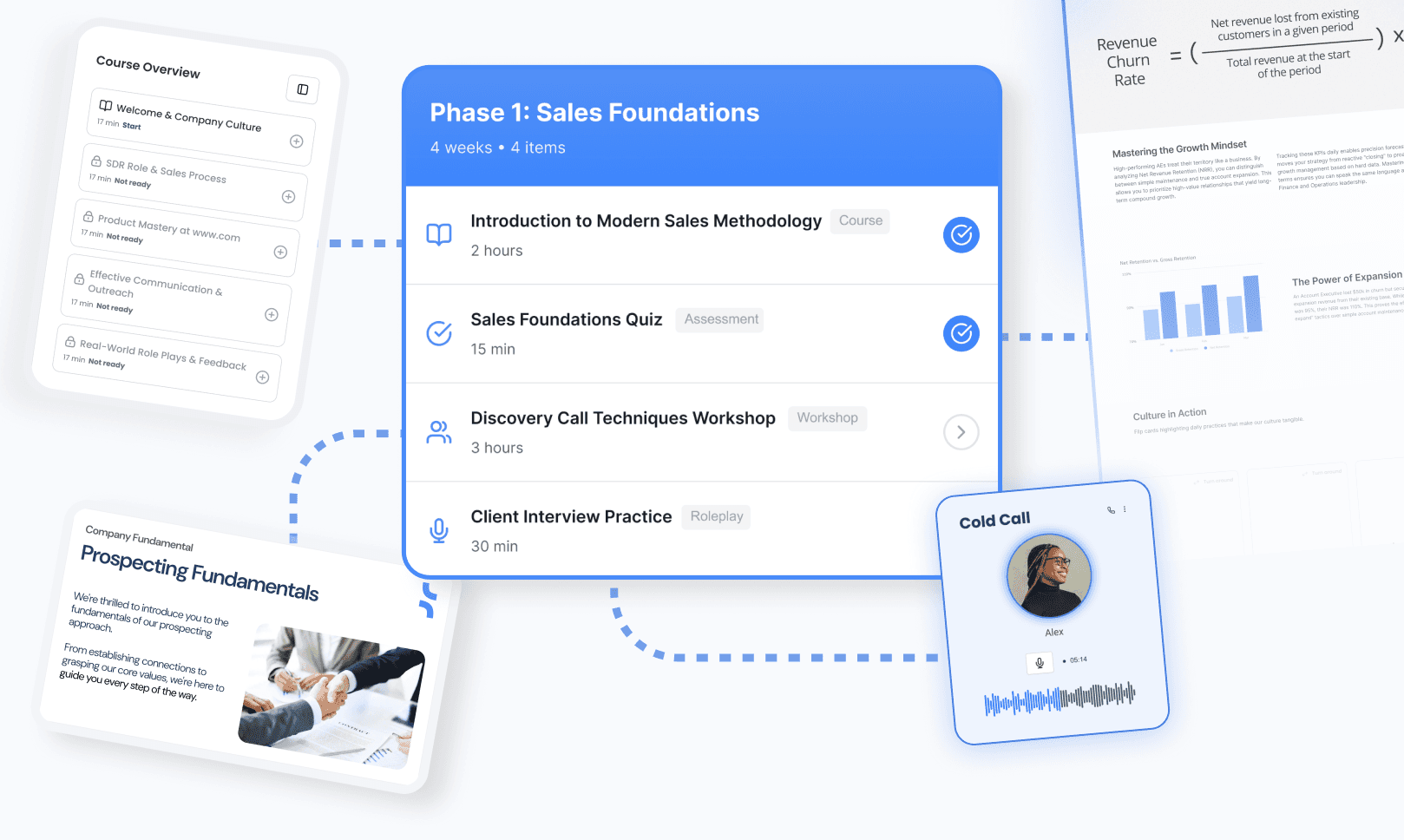
Once gaps are identified, the software should suggest the path forward. In Deelan, we suggest specific modules to bridge the gap. Instead of assigning a 40-hour course, the system might recommend three 10-minute modules on a specific legal update.
5) Measuring business impact
Did the training work? Link your training roadmap to KPIs. If you trained on "Security Protocols," your audit-ready training records should show a decrease in compliance violations over the next quarter.
Templates you can copy
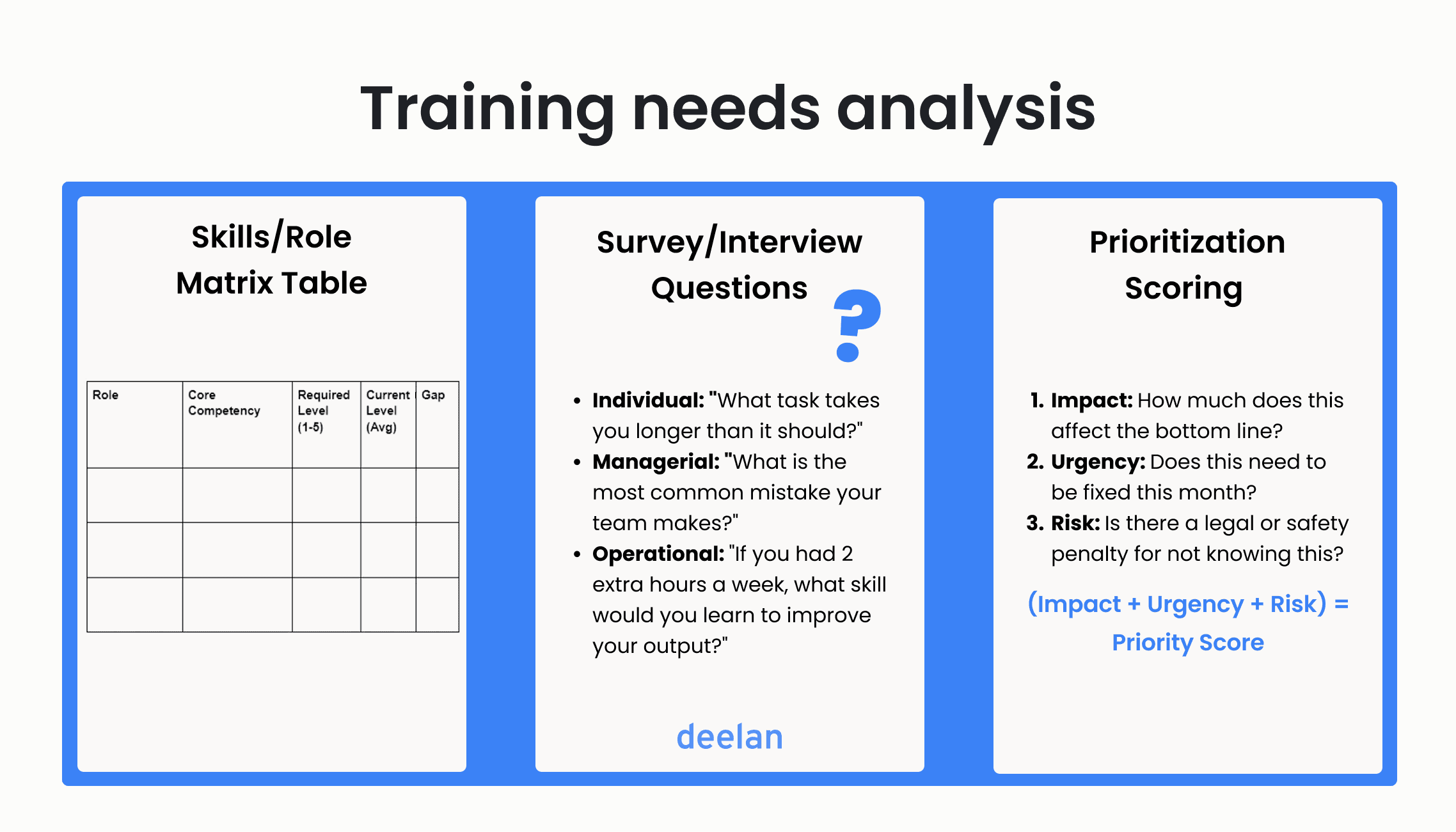
Skills/Role Matrix Table
Use this structure to map competencies to specific departments.
Role | Core Competency | Required Level (1-5) | Current Level (Avg) | Gap |
Sales Exec | Discovery Calls | 5 | 3.2 | -1.8 |
Conflict Res | 4 | 4.1 | +0.1 | |
Dev Ops | AWS Security | 5 | 2.5 | -2.5 |
Survey/Interview Questions
Group these into your training needs analysis tool to gather qualitative data:
Individual: "What task takes you longer than it should?"
Managerial: "What is the most common mistake your team makes?"
Operational: "If you had 2 extra hours a week, what skill would you learn to improve your output?"
Prioritization Scoring
Not all gaps are equal. Score them from 1–5 (Impact, urgency and risk scales)
Impact: How much does this affect the bottom line?
Urgency: Does this need to be fixed this month?
Risk: Is there a legal or safety penalty for not knowing this?
Formula: (Impact + Urgency + Risk) = Priority Score
30/60/90-Day Training Roadmap Example
Day 1–30: Compliance & "Must-Have" technical onboarding (Gap: Risk).
Day 31–60: Role-specific performance modules (Gap: Impact).
Day 61–90: Soft skills and leadership development (Gap: Long-term growth).
Microlearning
Traditional TNA often leads to "The Big Training Day." Modern training needs analysis software leads to microlearning.
Example:
Instead of a full “Sales Training” course → a short module on objection handling for reps who failed that assessment.
With adaptive courses in Deelan, training cuts ramp time by focusing only on the skills each person actually needs, true learning in the flow of work.
What to look for in training needs analysis software
When evaluating a training needs analysis tool, ensure it includes these 10 features:
AI-Assisted Assessment Generation: (Like Deelan’s ability to create exams in minutes).
AI-assisted content creation
Adaptive Learning Paths: Courses that skip what the user already knows.
Real-time Skills Matrix: Visual dashboards, not static tables.
Role-Based Access: Different benchmarks for different departments.
Compliance Tracking: Automated alerts for expiring certifications.
Audit-Ready Records: One-click exports for ISO or legal audits.
Integration: Works with your HRIS or CRM.
Coaching
Microlearning support
FAQ
Can an LMS do a TNA?
Most standard LMS platforms focus on delivery, not analysis. However, a modern training needs analysis tool or an "intelligent LMS" like Deelan integrates assessment and gap analysis directly into the learning experience.
How often should you run TNA?
In high-growth or compliance-heavy industries, TNA should be continuous. At a minimum, quarterly reviews are recommended to stay ahead of market shifts.
What data sources matter?
Performance reviews, assessment scores, support tickets, sales quotas, and direct employee surveys are the primary data points for a learning needs analysis.
How does AI help in TNA?
AI can analyze vast amounts of performance data to predict future skill gaps before they affect your KPIs.
How does Deelan simplify this?
Deelan automates and simplifies the process. By using our assessment tools, you can identify gaps across a distributed team in minutes and instantly generate microlearning modules to address them.
Conclusion
Spreadsheets can’t keep up with modern organizations. A dedicated training needs analysis tool turns TNA into a continuous, data-driven process that improves performance, supports compliance, and protects training ROI.
If you need a tool to run and maintain your TNA at scale, platforms like Deelan are built for exactly that purpose.
Looking for a clearer, more reliable way to manage training needs?
Book a demo to explore how Deelan supports skills analysis and data-driven learning decisions.